Before you start
- An Invozo account with your Shopify shop approved, under Shops.
- The owner of the Shopify shop, or someone with app development permission.
- The web address of the shop in Invozo, the same as in Shopify.
- This connection is new. If a step looks different in your Shopify, write to us and we do it together.
Steps
1
Make the app in Shopify
- Open dev.shopify.com/dashboard with the account that owns the shop.
- Press Create app, choose Start from Dev Dashboard, write the name Invozo, then Create.
- In the new version, at Scopes, put:
read_orders,write_orders
- Leave the rest as it is and press Release.
2
Install it on your shop
- In the app, at Installs, press Install app and choose your shop.
- Open Settings → Access requests → Protected customer data, press Manage and choose customer data, with name, e-mail, phone and address. The reason: the payment link and the invoice of the buyer.
- In Settings, keep the Client ID and the Client secret at hand.
3
Connect it to Invozo
- Log in at invozo.eu/account and open Shops.
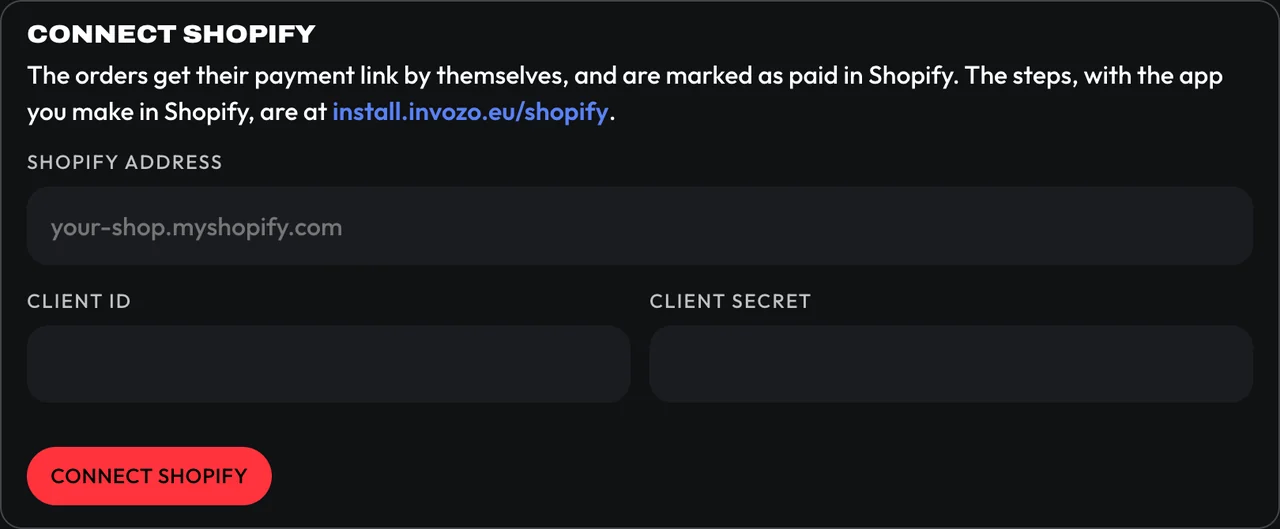
- In the card of your shop, write the Shopify address, the Client ID and the Client secret. The Shopify address is in Shopify, Settings → Domains, and ends in myshopify.com.
- Press Connect Shopify.
- Put the secret only there. Do not send it by e-mail or in a chat.
4
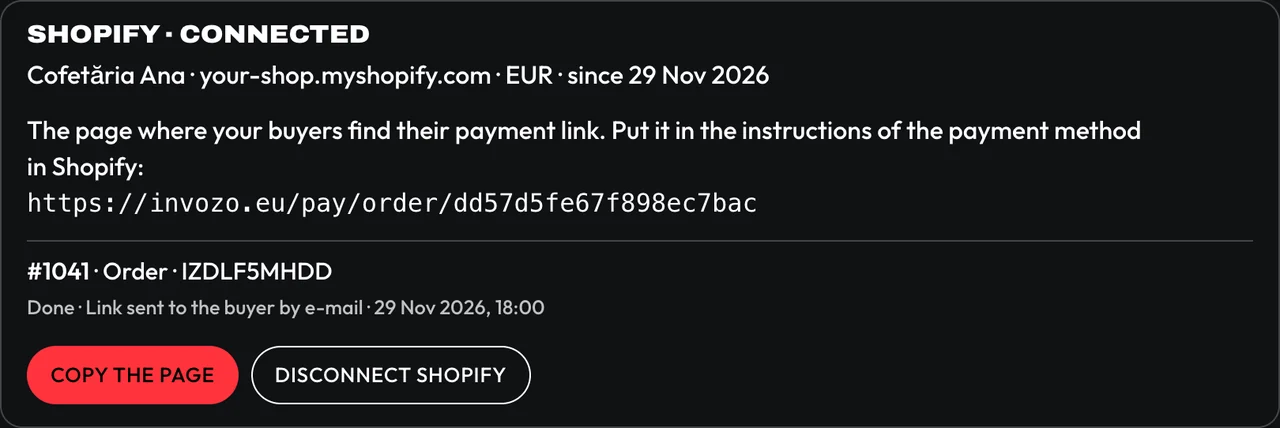
Copy your payment page
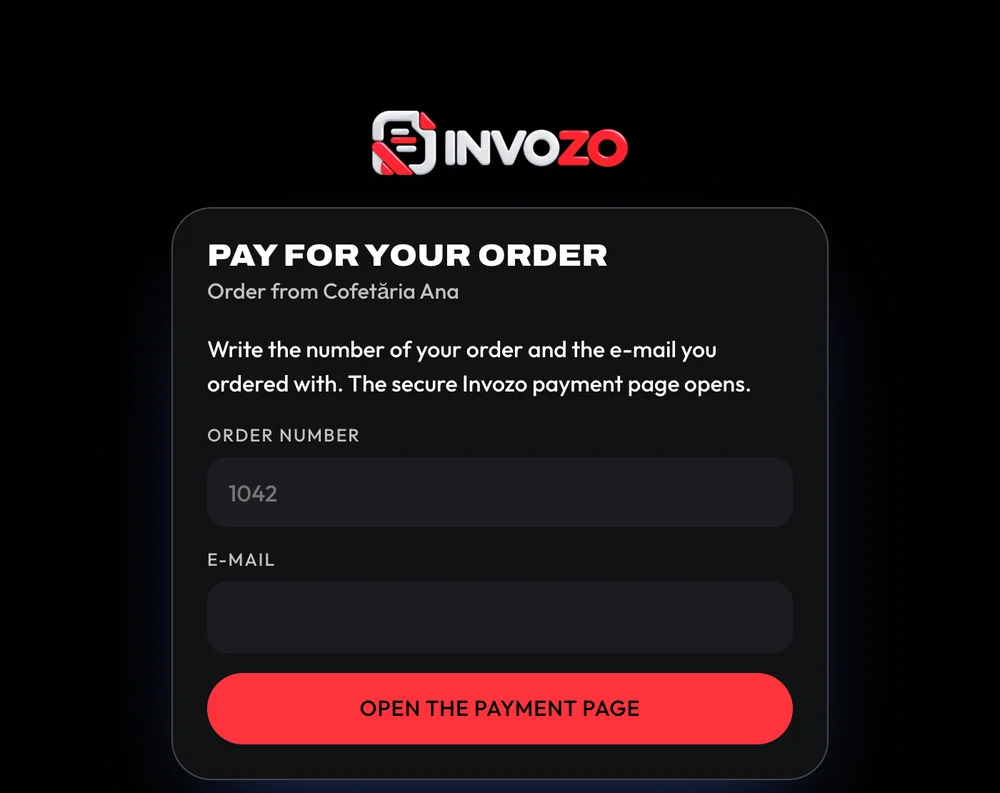
- After connecting, press Copy the page. It is the page where a buyer finds their payment link with the order number and e-mail.
5
Add the payment method in Shopify
- Open Settings → Payments → Manual payment methods and create a custom payment method.
- Name. It has to contain the word Invozo, so that we know which orders are ours:
Card payment (Invozo)
- Payment instructions, with your page at the end:
Pay for your order here, with the order number and your e-mail: PASTE-YOUR-PAGE
- Press Activate.
6
Check with a small order
- Place an order with this method. Within a minute you get the payment link by e-mail, and the order has a tag with the Invozo reference.
- Pay it. In Shopify, the order becomes Paid.
All done. Your shop takes payments through Invozo.
What the buyer sees
The secure Invozo page, in the buyer’s language, with the web address of your shop and the amount. The payment is processed by RoxPay.

Orders and refunds
- New order: the buyer gets the link by e-mail. Unpaid, Invozo reminds them after 1, 3 and 7 days.
- Paid: the order is marked as paid in Shopify.
- Edited order: if the amount paid is no longer what is left to pay, the order is not marked. It gets a tag, and you see it in your account.
- Cancelled or paid another way: the payment link is cancelled.
- Refunds are made by Invozo. Write to us, and the refund is noted on the order with a tag.
If something does not work
Questions: hello@invozo.eu
+40 750 277 888