Before you start
- An Invozo account with your shop approved, under Shops.
- OpenCart 4.1 and PHP 8.1 or newer. Tested on OpenCart 4.1.0.4.
- Your shop on a public address with https://, the same as the one in your Invozo account.
Steps
1
Install the module
- Open Extensions → Installer and press the upload button.
- Choose
invozo.ocmod.zip. Keep the name of the file as it is. - In the list below, press the green button next to Invozo.
2
Add the payment
- Open Extensions → Extensions and choose Payments.
- Next to Invozo, press the green install button, then the blue edit button.
3
Create the key in Invozo
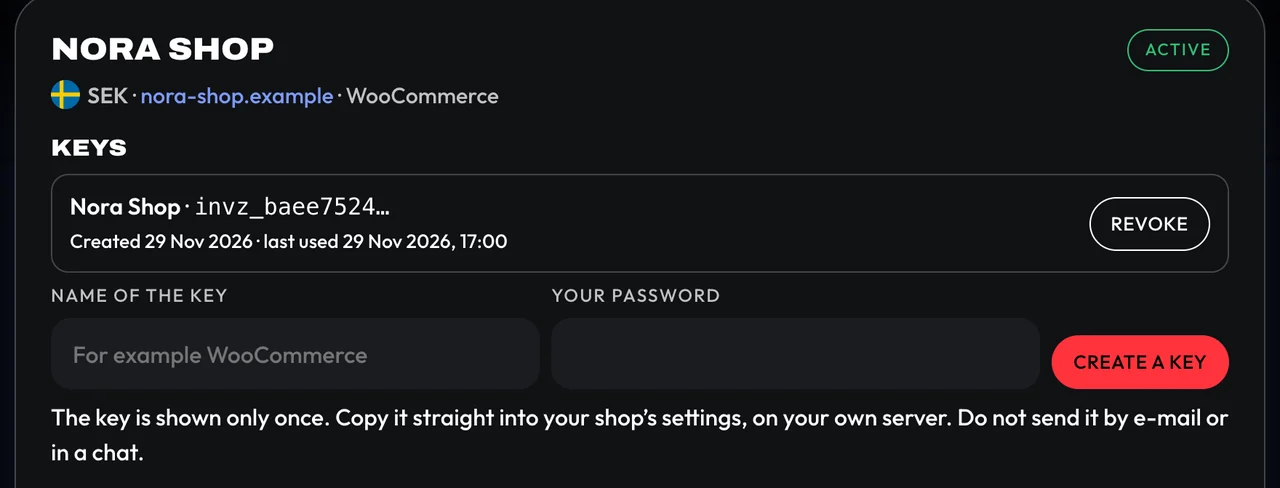
- Log in at invozo.eu/account and open Shops.
- In the card of your shop, write a name for the key and your password.
- Press Create a key and copy it. It is shown only once.
- Paste it only in your own shop. Do not send it by e-mail or in a chat.
4
Connect your shop
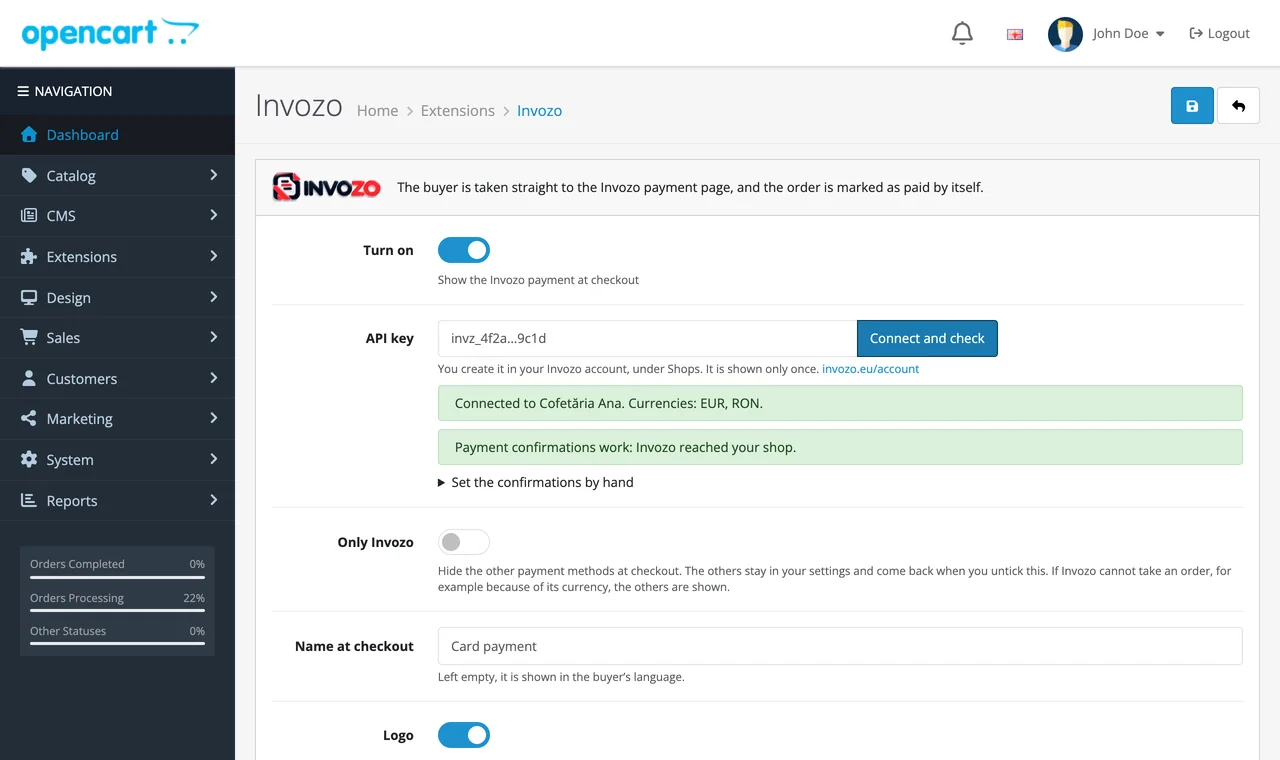
- Paste the key in API key and press Connect and check.
- Wait for the two green lines: your shop is connected, and the payment confirmations work.
5
Turn it on
- Turn on the first switch, Turn on.
- To leave Invozo as the only way to pay, turn on Only Invozo. The other methods stay saved.
- Press the save button, at the top right.
6
Check with a small order
- Place an order in your own shop and pay it.
- In Sales → Orders, it has to be Processing. The Invozo tab shows the reference.
All done. Your shop takes payments through Invozo.
What the buyer sees
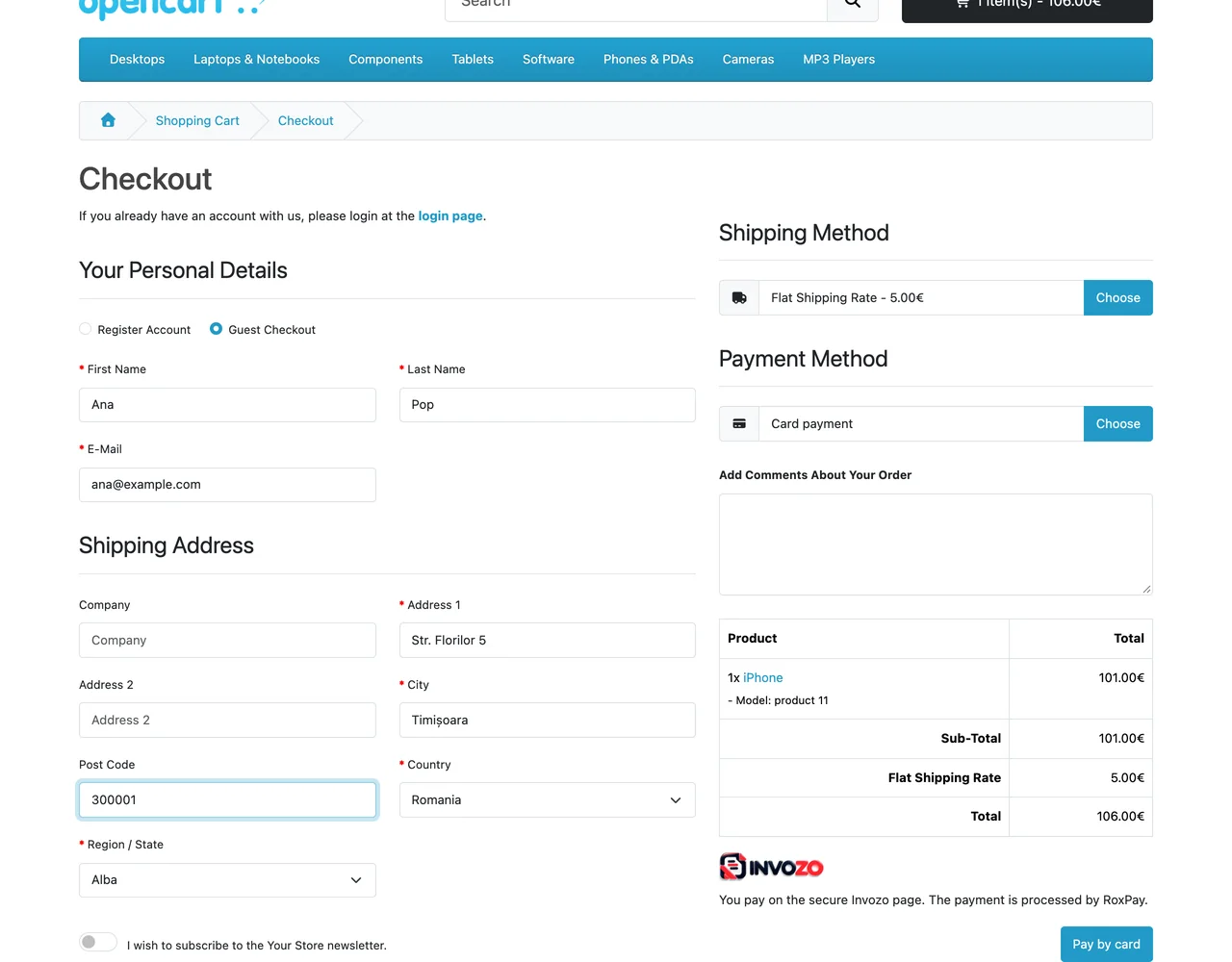
The secure Invozo page, in the buyer’s language, with the web address of your shop and the amount. The payment is processed by RoxPay.

Orders and refunds
- Before the payment: OpenCart keeps the order under Missing Orders.
- Paid: the order moves to Processing. You can choose another status in the settings.
- Confirmation delayed: the module also checks when the buyer comes back and when you open the list of orders.
- Different amount: if the amount paid is not the total, the order waits for you with a note. Check it before you ship.
- Cancelled order: its payment link is cancelled too.
- Refunds are made by Invozo. Write to us, and the refund appears on the order.
- New version: uninstall the old one in Installer, then install the new one. Connect and check again.
If something does not work
Questions: hello@invozo.eu
+40 750 277 888